chocofi wi stagger
hot on the heals of Chocofi Wi layout is the contemplated staggered pinkie version of the layout.
The utility of shifting the pinkie cluster down a row is dependent on one’s physical hand proportions. Hands whose pinkie finger length is substantially less than the ring finger may find this staggered layout more relaxed. Those who have good typing hand posture and dexterity—much like a pianist—will tend to overcome pinkie finger length discrepancies and likely find the more traditional row placement adequate both in feel and convention.
The staggered layout variant introduces some subtle pinkie finger character arrangements—due to the pinkie reach moving from the top row to the bottom—and, even, some whole key assignments. The left/right pinkie finger glyph sets remain the same, however, the pinkie reach (feel) rotates their order in the column (which can be seen below)—this reordering has been applied purely by “feel” (level of physical difficulty and letter frequency).
The supplementary chords remain unchanged.
beakl wi stagger
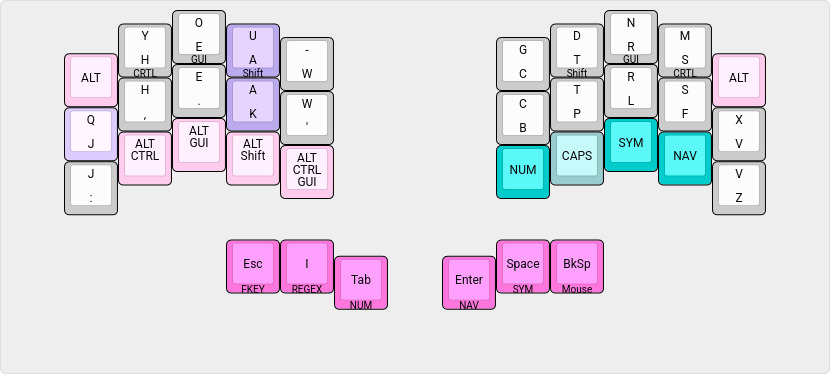
| chord | output |
|---|---|
| q u | qu (order ignored) |
| , . | ; |
| LShift Tab | Tab (autorepeat) |
| LShift Space | Space (autorepeat) |
| LShift Backspace | Backspace (autorepeat) |
| Space Backspace | Del (autorepeat) |
shift chords
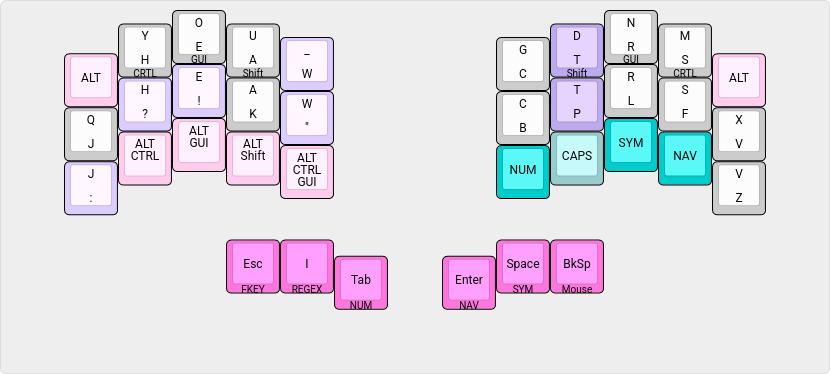
| chord | output |
|---|---|
| Shift : | ; |
| Shift , | ? |
| Shift . | ! |
| Shift - | _ |
| Shift ‘ | ” |
leader capitalization
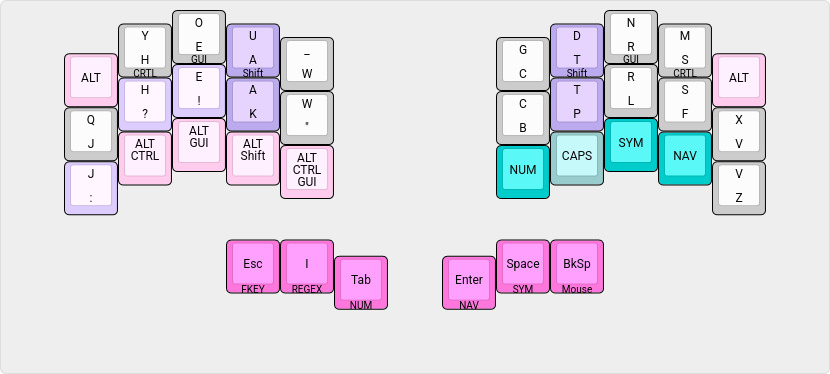
| chord | output |
|---|---|
| : Space | ”: “ + one_shot_shift |
| , Space | ”, “ + one_shot_shift |
| . Space | ”. “ + one_shot_shift |
| Shift : Space | ”; “ + one_shot_shift |
| Shift , Space | ”? “ + one_shot_shift |
| Shift . Space | ”! “ + one_shot_shift |
| Shift Space | ” “ + one_shot_shift |
| : Enter | : <enter> + one_shot_shift |
| , Enter | , <enter> + one_shot_shift |
| . Enter | . <enter> + one_shot_shift |
| Shift : Enter | ; <enter> + one_shot_shift |
| Shift , Enter | ? <enter> + one_shot_shift |
| Shift . Enter | ! <enter> + one_shot_shift |
| Shift Enter | <enter> + one_shot_shift |
symbols and regex
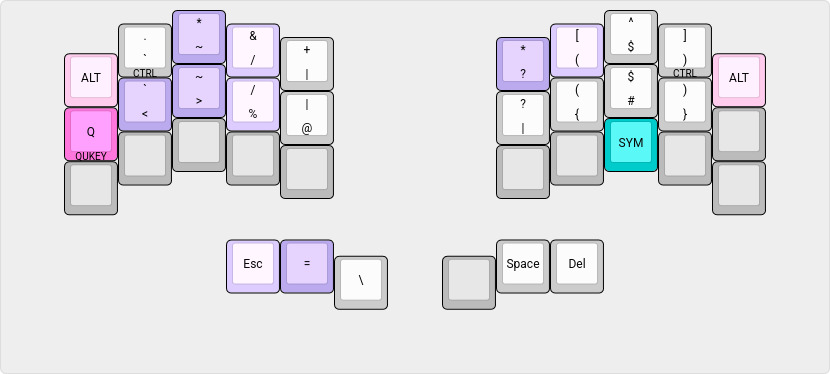
The thumb layers only differ from the non-staggered BEAKL layout with the top row ALT key to be consistent with the staggered alpha base layer.
symbol layer
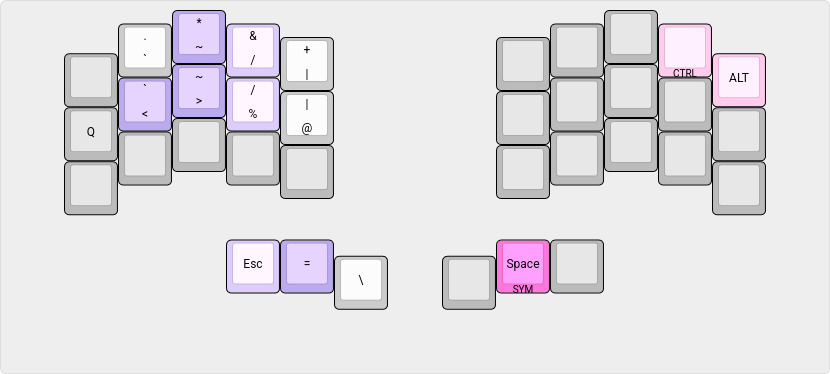
| chord | output |
|---|---|
| Q < | <- |
| > % | -> |
| Esc = | != |
| * & | ” AND “ (for boolean queries) |
| ~ / | ~/ |
regex layer
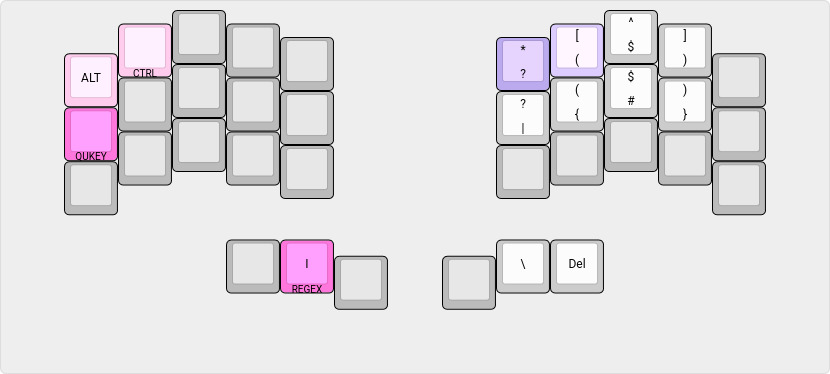
| chord | output |
|---|---|
| * [ | .* |
combined symbol / regex layer
numbers
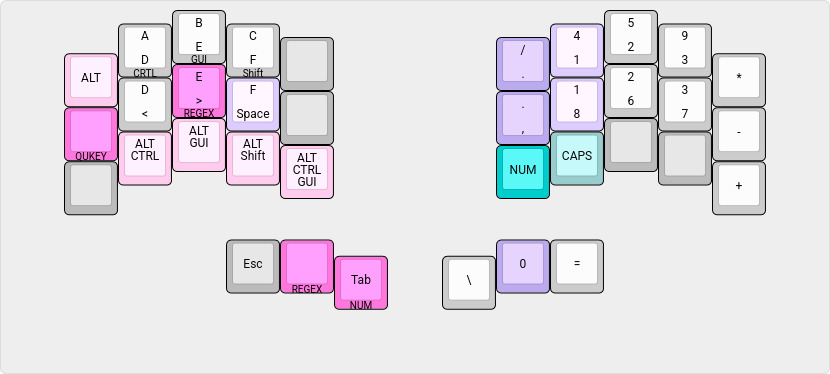
| chord | output |
|---|---|
| / 4 | : |
| , 8 | ; |
| Space 0 | 0x |
| toggle | action |
|---|---|
| Caps | Upper case HEX (retoggle to disable CapsLock on exiting layer) |
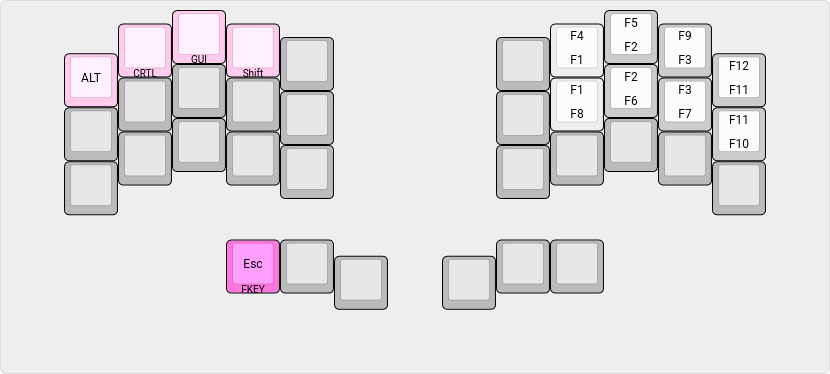
function keys
quickey layer
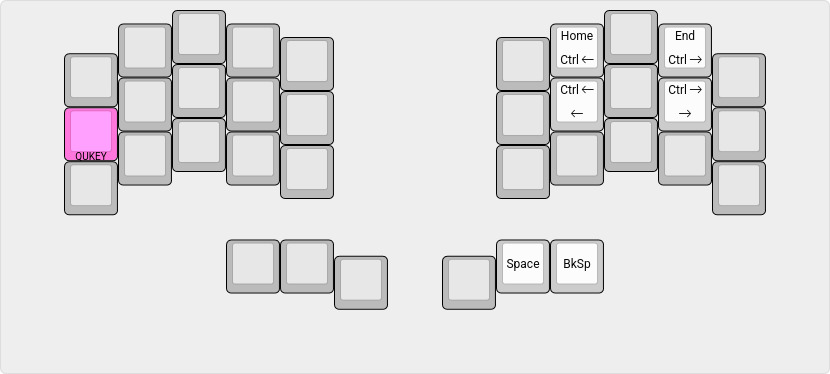
| chord | output |
|---|---|
| Space Backspace | Del |
shortcuts and cursor / mouse
shortcuts / cursor keys
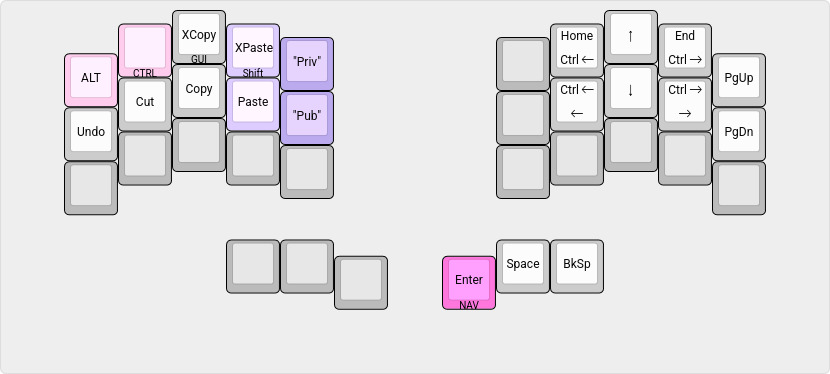
| chord | output |
|---|---|
| XPaste Private | Compile time string |
| Paste Public | Compile time string |
mouse navigation
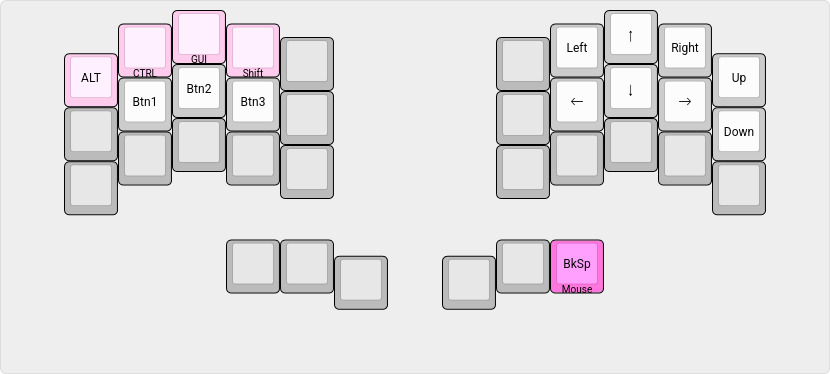
While symmetry would dictate placing the right hand pinkie navigation keys on the bottom two rows, the unneeded ALT key allows these keys to remain similarly positioned as in other BEAKL Wi layouts—comfortably accessible by the ring finger of the thumb actuated layer.
‧ ‧ • ‧ ‧
Having two Chocofi keyboards, one with each layout, i have been, thus far, finding the staggered pinkie finger arrangement a comfortable alternative. There is, however, something to be said for not letting one’s typing fingers atrophy too much :-)
For me, it is 6 of one, half dozen of another—having used the Georgi keyboard for so long (where the ring finger to reach the upper and chorded rows has become second nature). Keyboard placement i find is more critical with the staggered layout because the ring finger reach to the corner is very forgiving, whereas, dedicated pinkie usage requires exacting placement for accurate character selection—it is all about mechanics.
i will give the staggered layout a good shakedown. One noticeable positive is the placement of the ALT key in the upper row which the ring finger reaches effortlessly for those kakoune editor keybinds, an application i live in (this is, of course, easily added to non-staggered layout, as well, as a keypress down modifier).
As always, YMMV.